Uniscribe Discount Code 2026: 20% Off for 12 Months with 7HZVZUKO

· 8 min read
Some links on this page are affiliate links. If you buy through them I may earn a small commission at no extra cost to you. As an Amazon Associate I earn from qualifying purchases.
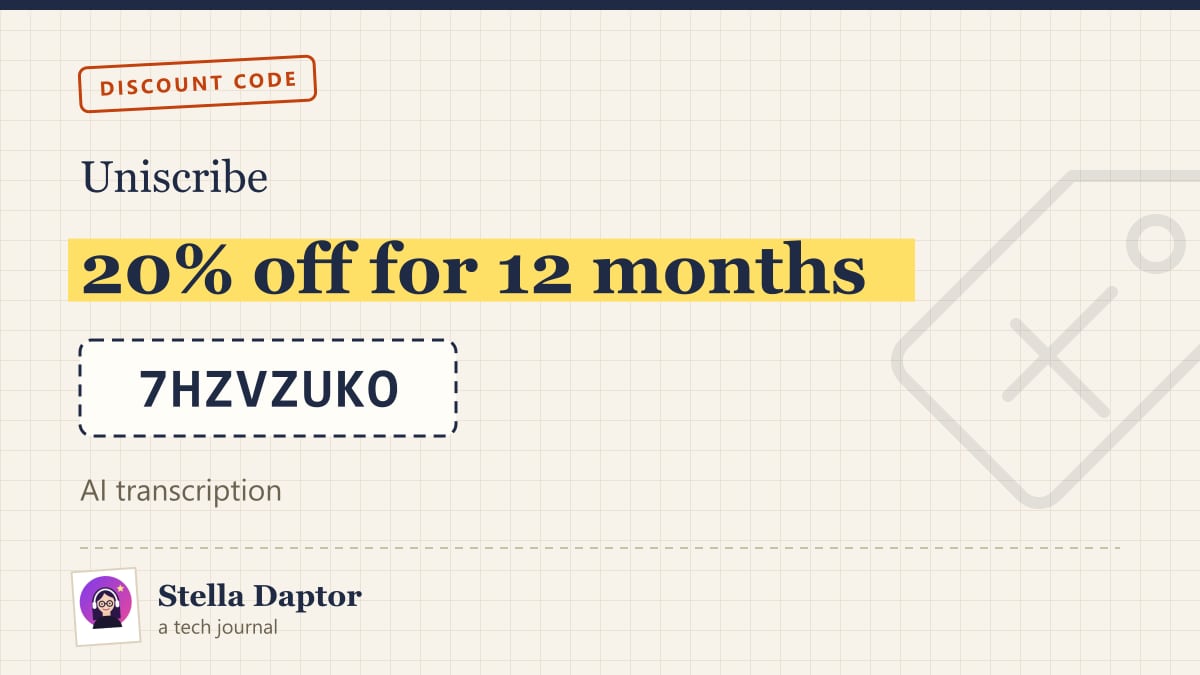
7HZVZUKOShort answer: Enter the Uniscribe discount code 7HZVZUKO on the checkout page when you upgrade to a paid plan at uniscribe.co. It gives you 20% off on all payments within the first 12 months.
Below I explain what Uniscribe does, how its plans work, how the 12-month discount fits monthly and yearly billing, and who is better off with something else.
Uniscribe code 7HZVZUKO: at a glance
| Detail | Info |
|---|---|
| Code | 7HZVZUKO |
| Discount | 20% off on all payments within the first 12 months |
| Where to use it | Checkout page when you upgrade on uniscribe.co |
| Who it’s for | Creators, students, podcasters, researchers and anyone turning audio or video into text |
| How to apply | Pick a paid plan, enter 7HZVZUKO in the promo code field, check the reduced total, then pay |
What the code gives you
The code 7HZVZUKO takes 20% off on all payments within the first 12 months. That is more useful than a one-off coupon, because transcription is a recurring cost. Instead of saving once and paying full price from month two, the discount follows your payments for a whole year.
Here is how that plays out with the two billing options Uniscribe offers:
- Monthly billing: each monthly charge during your first 12 months is 20% cheaper. If you want to try a paid plan without committing to a full year, this gives you the discount on every month you keep it.
- Yearly billing: your annual payment falls inside the first 12 months, so the 20% comes off that charge. Because yearly billing is already cheaper than paying monthly (more on that below), this is the combination that gives the lowest cost for your first year.
At the time of writing, the Basic plan was listed at $10 a month on monthly billing or $72 a year on yearly billing. With 20% off, that works out to about $8 a month, or about $57.60 for the year. Prices change, so treat these numbers as an example of how the maths works and check the live pricing page before you pay.
How to use the Uniscribe discount code
- Go to uniscribe.co and create a free account, or sign in if you already have one.
- Open the pricing page and choose Basic, Standard or Pro.
- Pick monthly or yearly billing.
- On the checkout page, find the promo code field and enter 7HZVZUKO exactly as written.
- Apply the code and check that the order summary shows the 20% discount before you pay.
- Complete the payment. Your new minutes and paid features are then available in your account.
Tip: codes are normally one per order, so if you see a different promotion on screen, compare the totals and keep the better one.
What Uniscribe is
Uniscribe is a web-based transcription service. You upload an audio or video file, or paste a link, and it gives you back a timestamped transcript you can edit online, translate, summarise and export. It is operated by VanCode LLC, a US company, and it also has iOS and Android apps.
Supported inputs
- Files: Uniscribe lists more than 20 formats, including MP3, WAV, M4A, FLAC, MP4, MOV, MKV and WEBM.
- Links: you can paste links from YouTube, TikTok, Instagram, Facebook, X and Apple Podcasts and get a transcript without downloading the media yourself.
- Mobile recording: the apps can record from your microphone or pick files from your phone.
What you get out
- Transcript with timestamps, editable in the browser, plus speaker labels on paid plans.
- AI extras: a summary, a mind map and a list of key questions pulled from the recording.
- Translation of the transcript into other languages (limited on the free plan).
- Chat with your transcript through Claude or ChatGPT, which the FAQ says requires a paid plan.
- Exports: TXT, DOCX, PDF, CSV, SRT and VTT. For subtitle files you can set the maximum characters and duration per line, which is handy if you are making captions for short vertical videos.
- Share links so someone else can read the transcript online.
Languages
Uniscribe says it transcribes 60+ languages. Third-party listings quote different numbers, so if you work in a less common language, run a short test file on the free plan before upgrading.
Uniscribe plans
All plans below are from the official pricing page at the time of writing.
| Plan | Minutes per month | Monthly billing | Yearly billing |
|---|---|---|---|
| Free | 120 | $0 | $0 |
| Basic | 1,200 | $10/month | $72/year |
| Standard | 3,000 | $20/month | $144/year |
| Pro | 6,000 | $30/month | $216/year |
Free needs no credit card. It allows files up to 30 minutes, one file at a time and three files a day, uses the basic transcription model, and keeps your media for 30 days.
Basic, Standard and Pro share the same feature set and differ mainly in monthly minutes. Each one includes the premium transcription model, files up to 5 hours or 5 GB, up to 50 files in one batch with no daily limit, speaker identification, custom vocabulary, YouTube transcription, bulk transcription, API access and no media retention limit.
Uniscribe also sells add-on minute packs for subscribers and one-time packages (Lite, Plus and Max) that are valid for 90, 120 and 180 days.
Which plan should you choose?
- Free is for testing accuracy on your own audio, or for occasional short clips.
- Basic (1,200 minutes, about 20 hours a month) suits most students and solo creators. That is roughly one long lecture or podcast episode every working day.
- Standard (3,000 minutes, about 50 hours) fits people who transcribe every recording they make, such as weekly podcasters with long back catalogues or researchers running lots of interviews.
- Pro (6,000 minutes, about 100 hours) is aimed at high-volume users and small teams.
Because all paid tiers have the same features, choose by minutes, not by feature list.
Who Uniscribe is for
- YouTube creators who want captions (SRT/VTT), blog drafts or show notes from videos they have already published. If you like the idea of AI summaries of YouTube videos, I covered a similar idea in my post on YouTube AI video summaries with Eightify.
- Students who record lectures and want searchable notes, a summary and a mind map for revision.
- Podcasters who need transcripts for accessibility, SEO and pulling quotes for social posts.
- Journalists and researchers who do interviews and need timestamps and speaker labels.
If you also edit the audio itself, my guide on how to remove an audio watermark from an audio file covers a related clean-up job.
Privacy notes
Uniscribe’s privacy policy is fairly detailed, and a few points are worth knowing before you upload anything sensitive:
- Your data is stored in the United States.
- When you delete a transcription or your whole account, the policy says it is permanently removed from Uniscribe’s servers within 24 hours, and this cannot be undone. You can delete your account under Settings on the web or in the app.
- Transcription and AI features rely on third-party providers. The policy names services such as Microsoft Azure and Cloudflare for infrastructure, several AI transcription providers, and OpenRouter for summaries, translation and chat.
- Payments go through Stripe or the app stores, and Uniscribe says it does not store card details.
- Free plan media is kept for 30 days.
For confidential recordings (legal, medical or HR), read the full policy and check whether it meets your organisation’s rules before uploading.
Is Uniscribe worth it?
Uniscribe is good value if you transcribe regularly and want more than plain text. Summaries, mind maps, subtitle exports and link transcription in one place save a lot of copying between tools. The generous free tier also means you can test accuracy on your own recordings before paying.
Who should skip it: people who need certified or human-checked transcripts (for court or academic publishing), teams that need strict compliance certifications, and anyone who mostly records live meetings. Meeting-focused tools like Otter.ai, editing-first tools like Descript, or a service with human transcription such as Rev may fit those cases better.
Tips to save more
- Pick yearly billing if you know you’ll keep it. The pricing page lists yearly plans as 40% cheaper than paying monthly, and 7HZVZUKO takes 20% off on top within your first 12 months.
- Size your plan to a normal month and use add-on minute packs for busy months instead of jumping a tier.
- Know the refund rules: the FAQ says monthly subscribers can request a refund for a billing period with no minutes used, and annual subscribers can get a prorated refund for the unused part of the term.
More deals: see my Insta360 discount code guide if you are also upgrading your camera kit.
Related reading
- Casper Discount Code 2026: 30% Off with FR-5JTGS8H1
- NordicTrack Discount Code 2026: $200 Off with NRPUAOYQA4
- Plunge.com Discount Code 2026: $250 Off with MARK15737
- Aragon AI Discount Code 2026: 15% Off with TLRVIGGM
FAQ
What does Uniscribe code 7HZVZUKO give me?
It gives you 20% off on all payments within the first 12 months of your Uniscribe subscription. You enter it on the checkout page when you upgrade to a paid plan.
Does the 20% discount work on monthly and yearly plans?
The code covers all payments within your first 12 months. On a monthly plan that means each monthly charge in your first year. On a yearly plan, your annual payment falls inside that window.
Is Uniscribe free to try?
Yes. The free plan needs no credit card and includes 120 transcription minutes a month, with files up to 30 minutes and up to 3 files a day.
Can Uniscribe transcribe YouTube videos?
Yes. You paste a YouTube link instead of uploading a file. The pricing page lists YouTube transcription as a feature of the paid Basic, Standard and Pro plans.
Which languages and export formats does Uniscribe support?
Uniscribe says it transcribes 60+ languages. You can export transcripts as TXT, DOCX, PDF, CSV, SRT or VTT.
Can I get a refund on Uniscribe?
According to its pricing FAQ, monthly subscribers can ask for a refund for a billing period in which they used no transcription minutes, and annual subscribers can get a prorated refund for the unused part of the term. Requests go to support by email.
Bottom line
Uniscribe turns recordings and links into editable transcripts, summaries, mind maps and subtitle files, with a free tier to test it and three paid plans that differ mainly in minutes. If you’re upgrading, enter 7HZVZUKO at checkout for 20% off on all payments within the first 12 months, and choose yearly billing if you want the lowest first-year cost.